 SoldLens
Know what it sells for before you buy it.
SoldLens shows what eBay items really sold for, with shipping, right on the search page. Pro tells you how fast they sell and what you'd make after eBay fees.
Free to install. Desktop Microsoft Edge and Firefox, on ebay.com. A Chrome version is planned.
Read-only and private
SoldLens only reads the eBay page you opened. It never acts on your account.
Read-only
Never clicks, bids, buys or lists anything on eBay.
No extra traffic
Reads only the search page you opened. It doesn't load other eBay pages.
Private
Your searches stay in your browser. No tracking or analytics.
Price an item in seconds
Search eBay, turn on "Sold items", and SoldLens adds badges to the results and a panel with the numbers that matter.
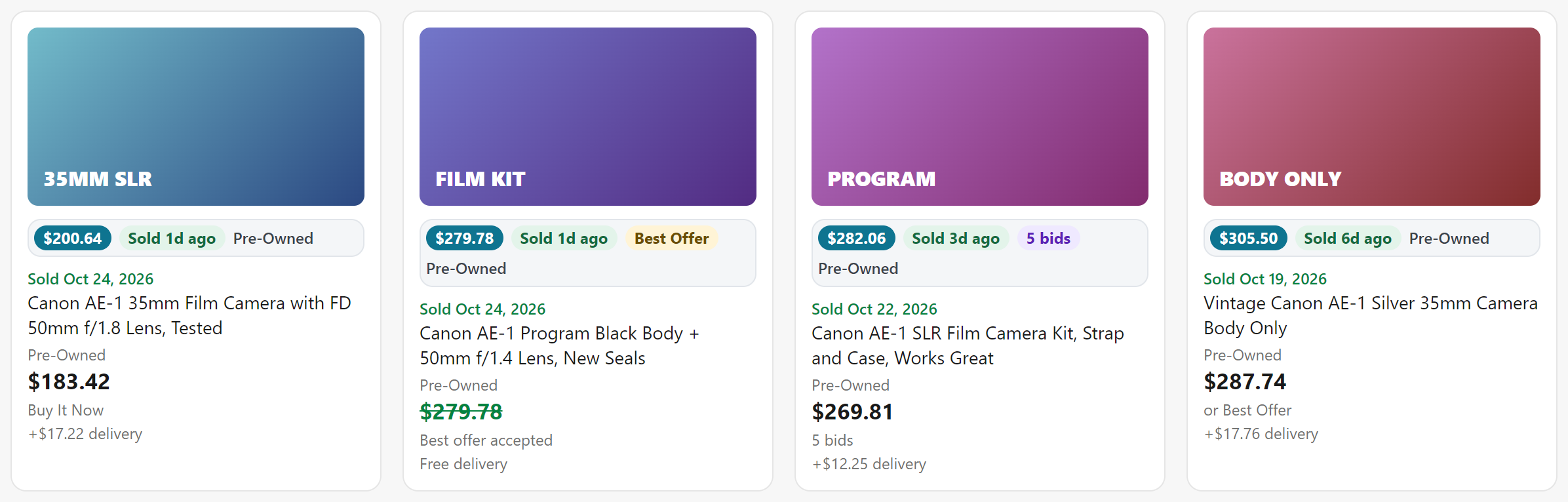
Free
- Badges on every listingTotal price with shipping, when it sold, Best Offer, bids, "N sold" and condition.
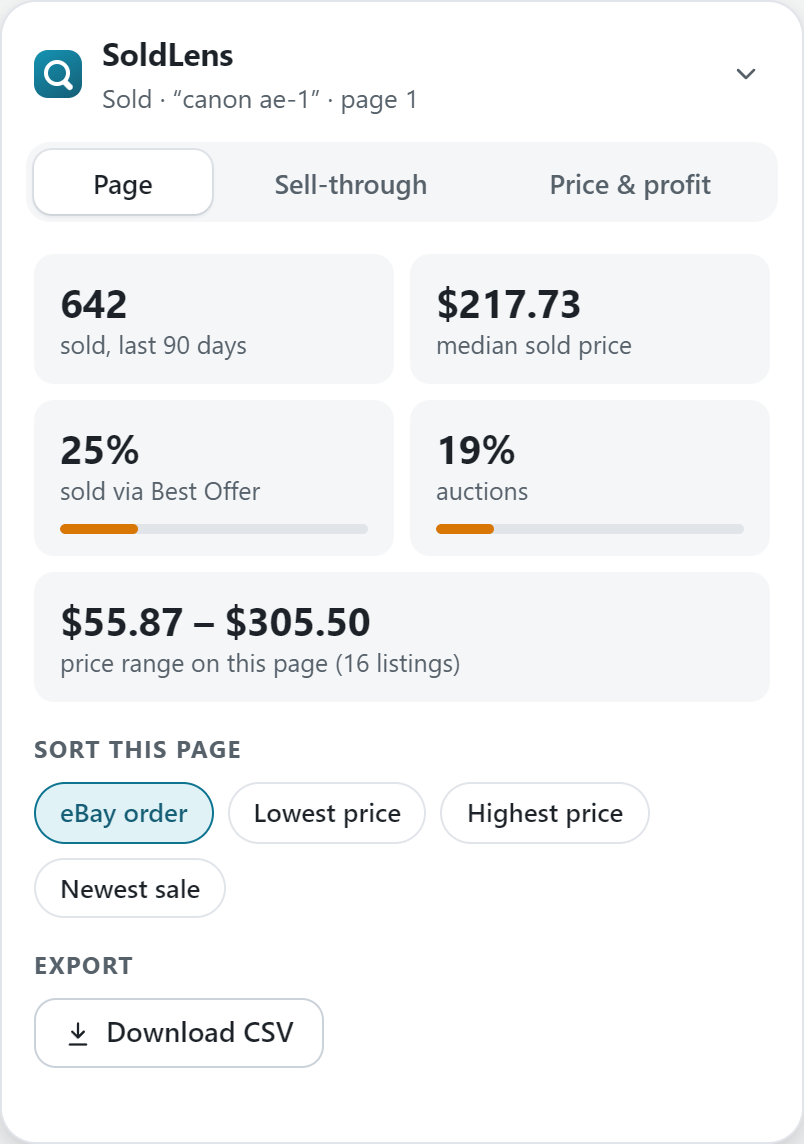
- Page overviewResults, median price, price range, and the share of auctions, Best Offers and free shipping.
- Sort the pageBy lowest or highest total price, newest sale or most sold.
Pro PRO
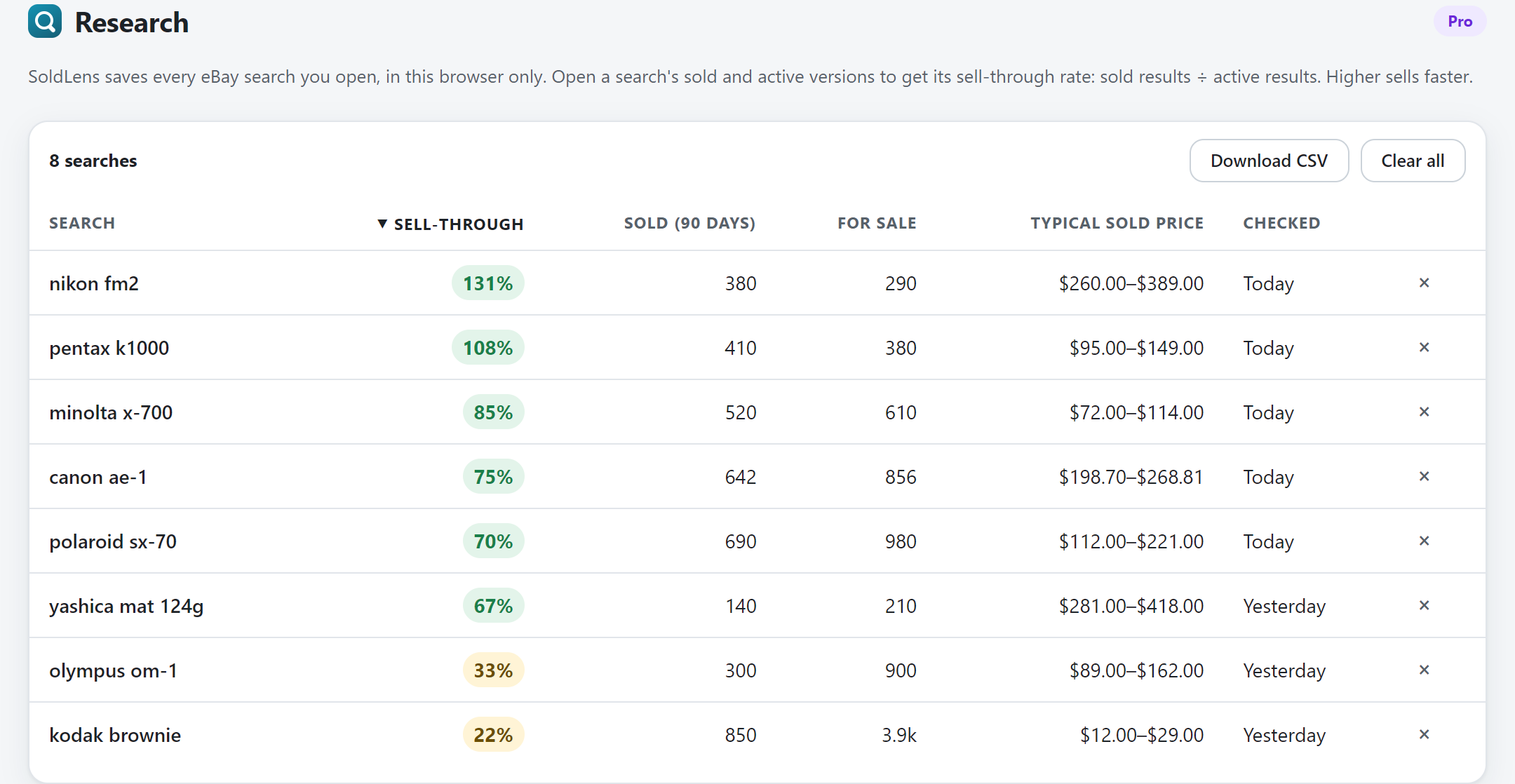
- Sell-through rateWhat sold in the last 90 days against what's for sale now, so you know if it moves.
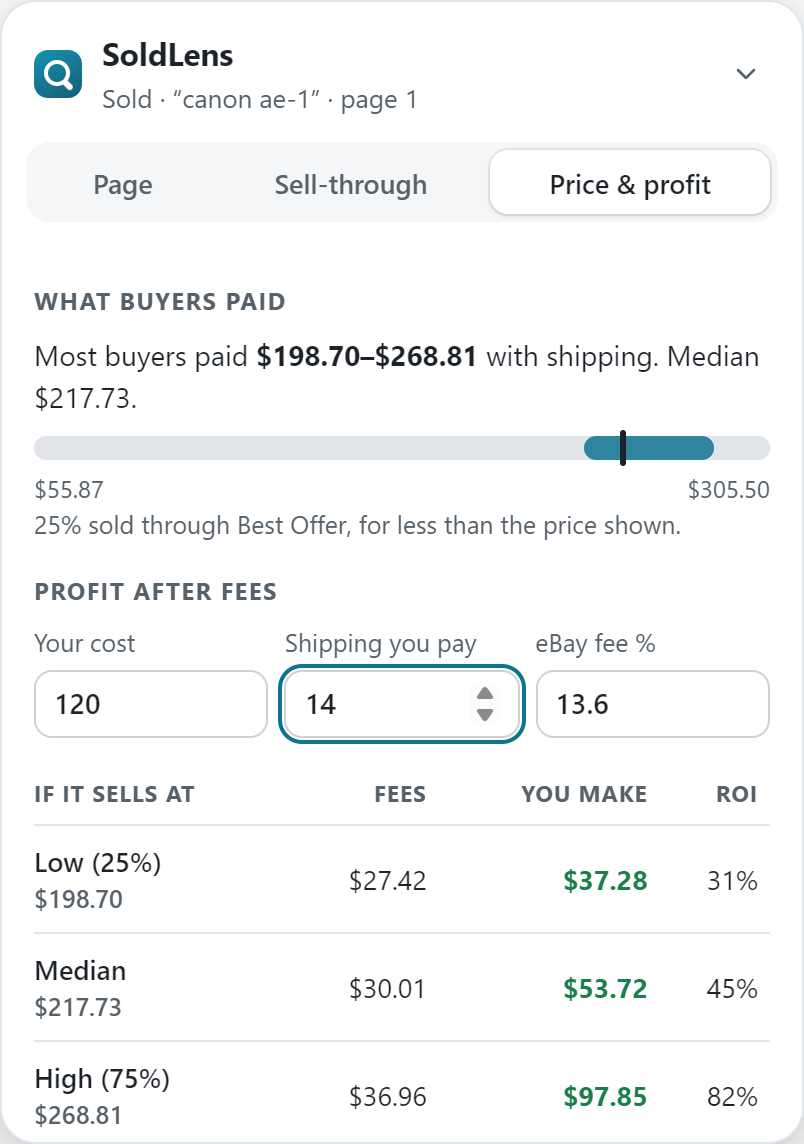
- Price rangeThe middle half of what buyers paid, with shipping, so you can price to sell.
- Profit after feesEnter your cost and shipping: see eBay's fees and what you'd make at low, median and high prices.
- ResearchEvery search you open is saved in your browser. Compare them side by side by sell-through and price.
- CSV exportDownload any results page, or all your research, for your own analysis.
Try it free: the free version unlocks Pro on 3 searches a day.
Pricing
Start free. Upgrade when you want the full picture.
Free
$0
Forever
- Badges on every listing
- Median price and price range
- Sorting by price, newest sale or most sold
- Page overview
- Full Pro on 3 searches a day
Pro
$7 / month
or $49 / year, about 42% less
- Everything in Free
- Sell-through rate for every search
- The price range most buyers pay
- Profit after eBay fees
- Research across all your searches
- CSV export
14-day money-back guarantee. Cancel anytime. One license works in up to 3 browsers. Taxes may apply. Checkout and billing are handled by Lemon Squeezy.
Questions
Is SoldLens safe for my eBay account?
SoldLens only reads information eBay already shows on the page you opened. It never clicks, bids, buys, lists or loads other eBay pages, so it doesn't automate anything on your account.
Do I need an eBay account?
eBay asks you to sign in to see sold listings, so you'll want a free eBay account. SoldLens never asks for your eBay password and doesn't read your account details.
How is the sell-through rate worked out?
It's the number of sold results for a search divided by the number of listings for sale now. eBay shows roughly the last 90 days of sold listings. Open a search's sold and active versions, in either order, and SoldLens fills it in.
How are the fees calculated?
SoldLens uses eBay's standard US final value fee: 13.6% of the item price plus shipping, plus $0.30 per order up to $10 or $0.40 above. Your category or store subscription may differ, so you can change the percentage. Sales tax isn't included.
Which browsers and eBay sites does it work on?
Microsoft Edge and Firefox on desktop, on ebay.com. A Chrome version is planned.
How do I unlock Pro?
Buy Pro, then copy the license key from your receipt email. In your browser, open the SoldLens toolbar button, choose "Enter license key" and paste it. Before buying, you can try it: the free version unlocks every Pro feature on the panel for 3 searches a day.
Can I use one license in several browsers?
Yes, in up to 3 browsers. To move a license, deactivate it in the browser you no longer use.
How do I cancel?
Use the "Manage subscription" link in your receipt email. Pro stays active until the end of the period you already paid for.
Can I get a refund?
Yes, within 14 days of any payment. See the refund policy.
Is SoldLens affiliated with eBay?
No. SoldLens is an independent tool. eBay is a trademark of eBay Inc.